Project Management Solutions with Project 360
Elevate Your Project Efficiency to New Heights
Experience streamlined project success with Project 360, where every feature is designed to empower your project management journey. Unlock the potential of Project 360 today!
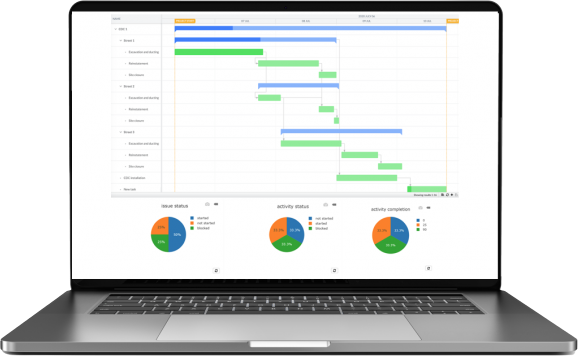
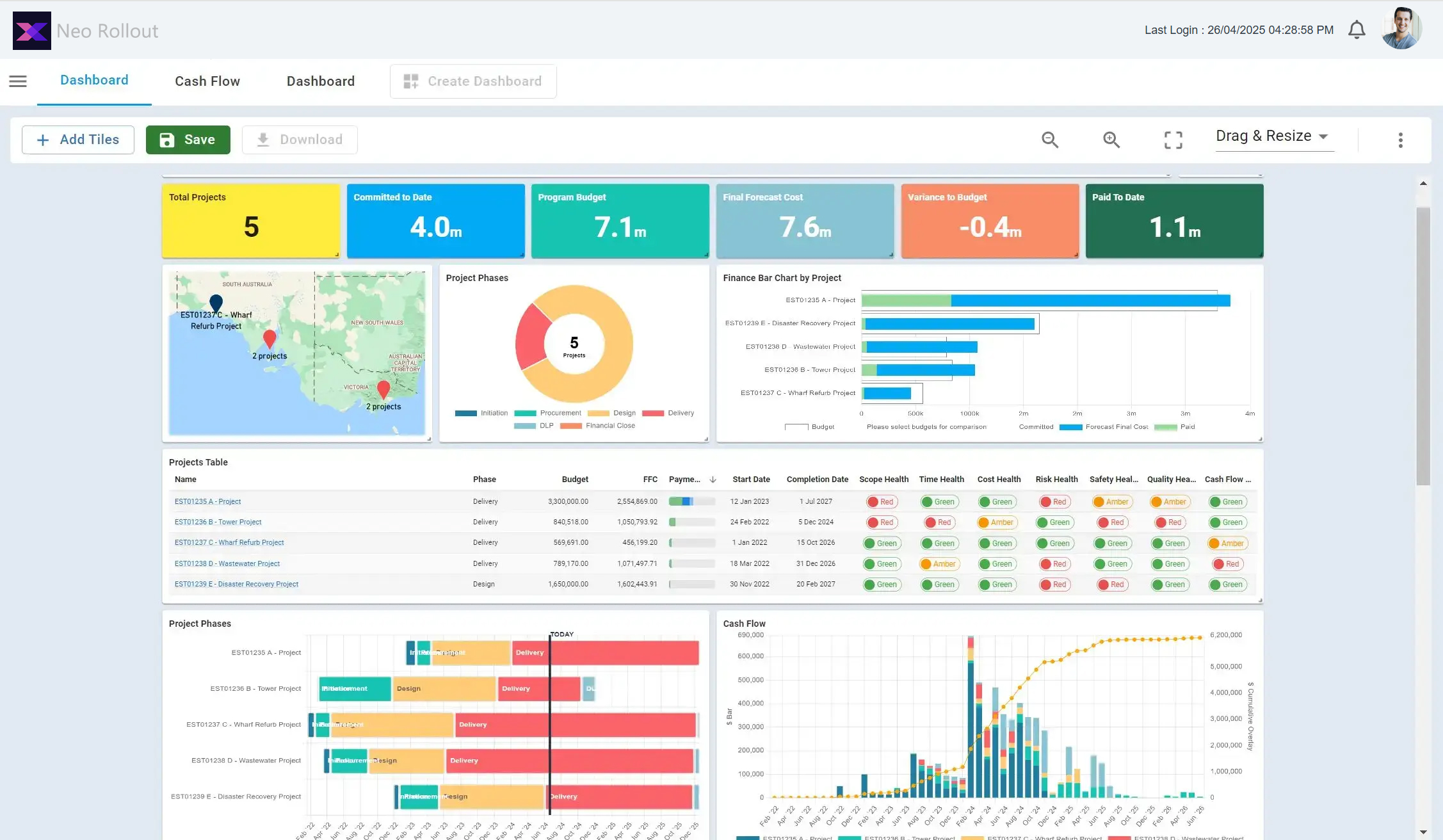
With the use of real-time dashboards and KPIs, monitoring project progress is simple. For project planning and data visualization along the production chain, use various tools including Gantt charts, status maps, and Gantt charts.
It is simple to identify bottlenecks, and business models can be scaled up to increase fiber coverage more quickly.
Permits
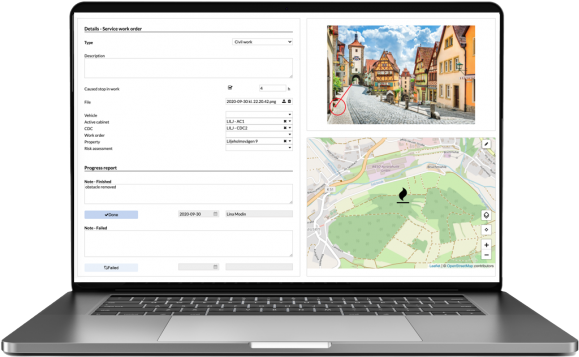
Arrange, record, and monitor land and street permissions. For effective coordination and prioritizing, relate to work orders.
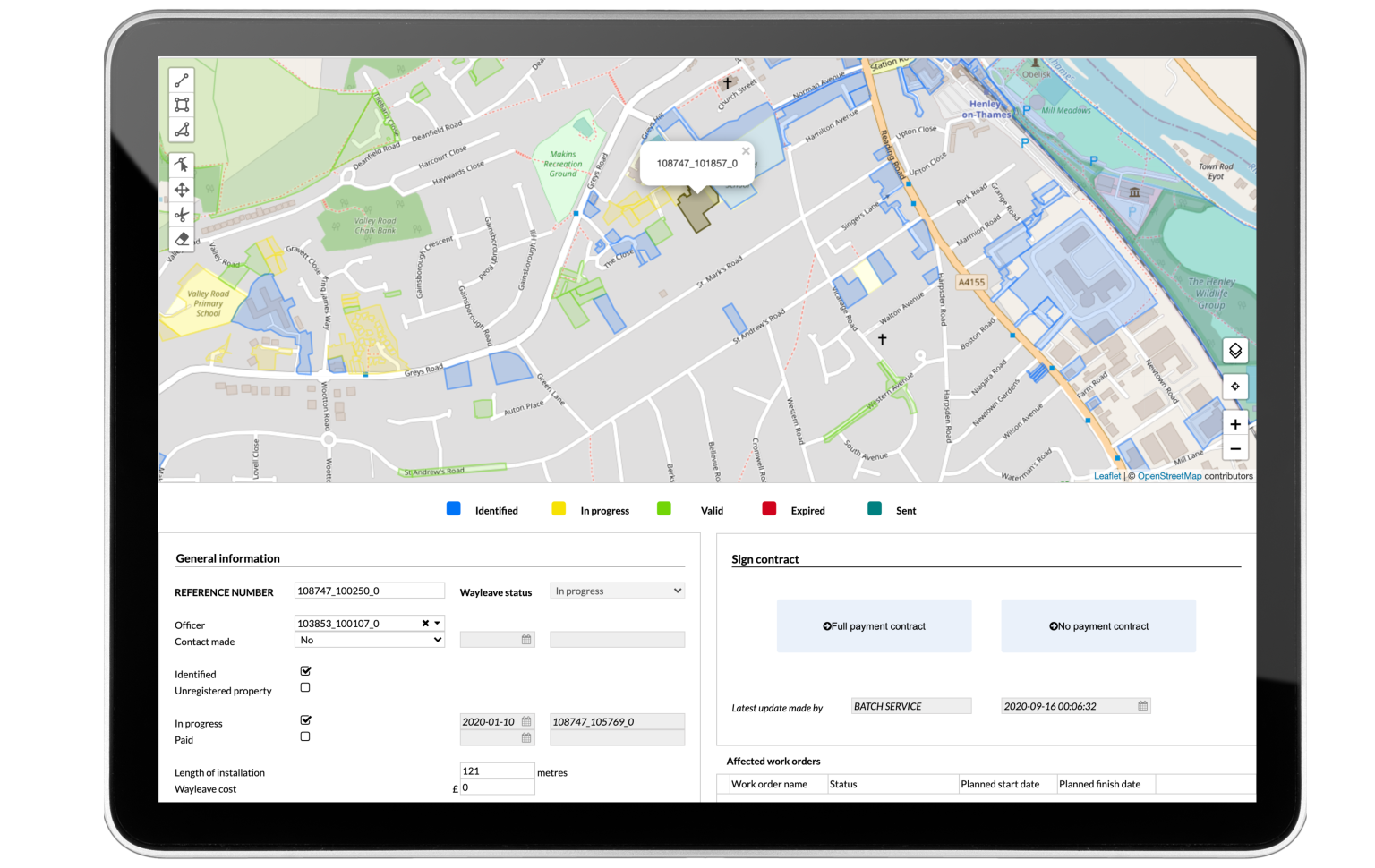
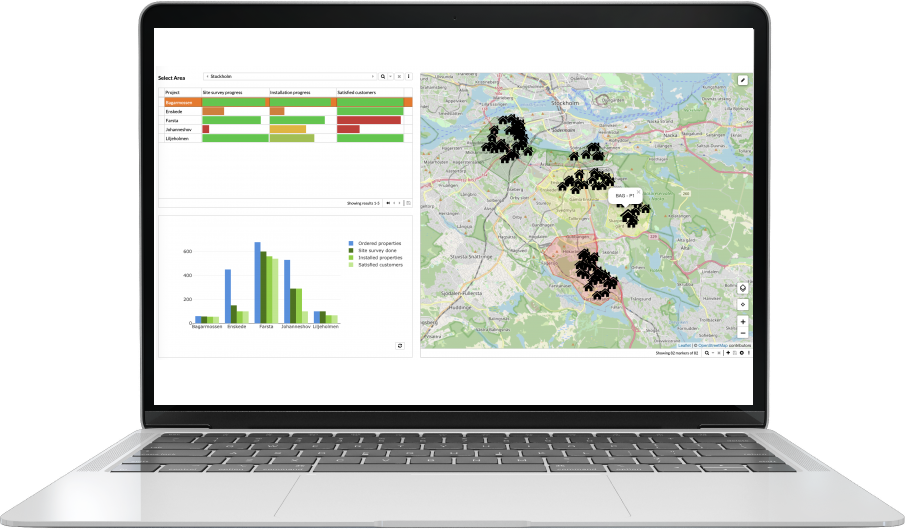
Link work orders to Wayleaves and other permits to ensure that everyone is present at the appropriate time. Easily coordinate permitting, prioritize wayleaves, and stop or proactively redirect trench lines by visualizing regional government data and network architecture.
In the build phase, essential information could be easily retrieved by digitally gathering and saving data including agreements, validation dates, and signatures.
Scheduling
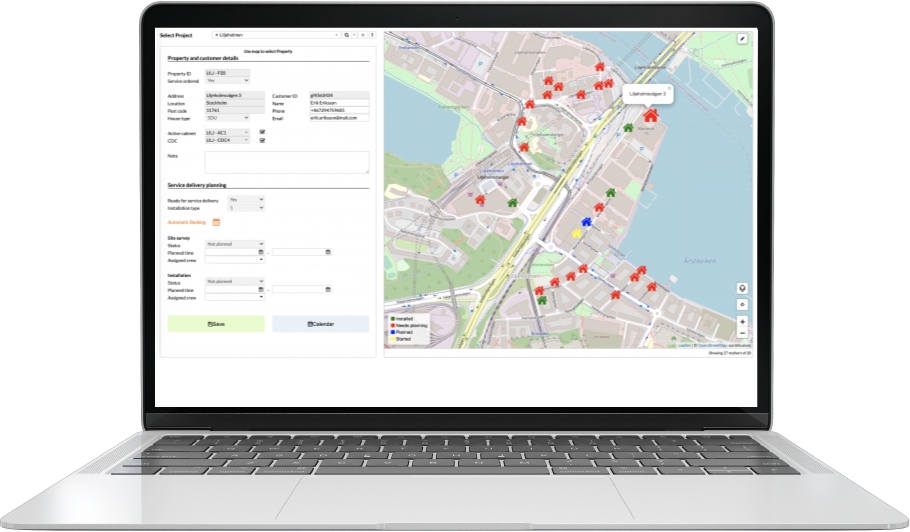
Interactions with end users are automatically scheduled. Allocating resources and dispatching tasks efficiently by matching work order type with qualifications.
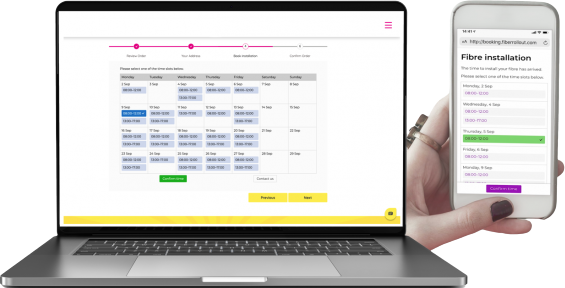
Customers can easily set their own timeslot for service delivery depending on their schedules if phone calls and other time-consuming procedures are reduced. Available timeslots are determined by predetermined criteria, like the duration of installation and the necessary skill sets, and displayed to the client via the preferred media using the new automatic booking module.
The technology helps dispatchers and stops individuals who lack the necessary credentials from being assigned to work orders.
Installation
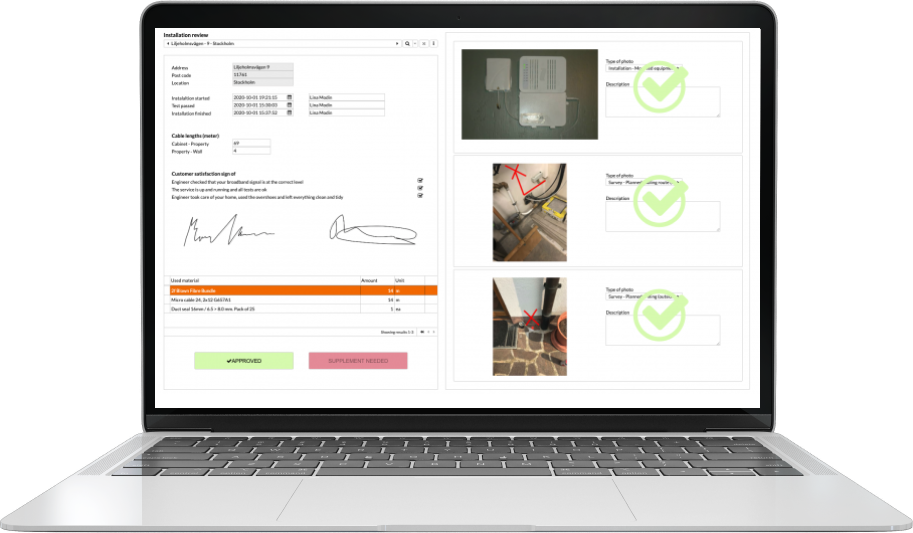
Capturing, verifying, and viewing all the required data during the service delivery process is made easier by digitizing the field workforce’s documentation.
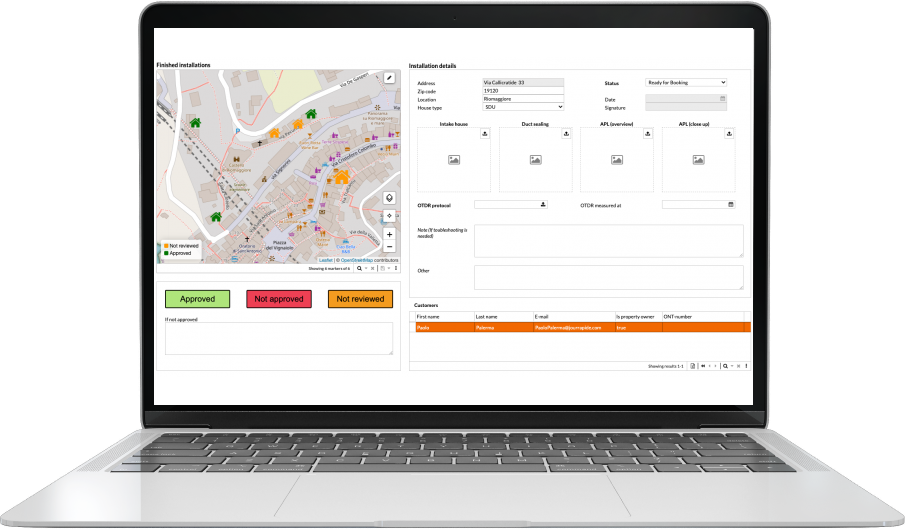
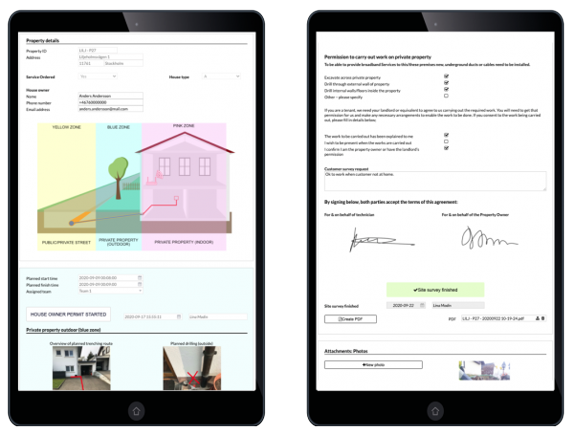
Ensure that the installation module handles end-user interactions seamlessly. The engineer is given agreements, directions, and other information gathered during the site survey to ensure precise and effective installations.
Using field team tablets, installation details are recorded alongside consumers. This includes notes, checklists, annotated images, and used materials. Customers approve the protocol on the tablet at the conclusion of the session, and a PDF agreement is created and sent straight to their email.
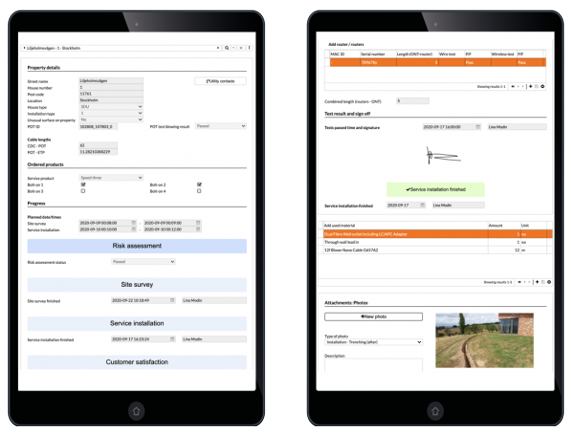
Construction
Work orders for trenches, cabinets, and chambers are managed by a digitalized documentation procedure that provides field workers with both online and offline assistance.
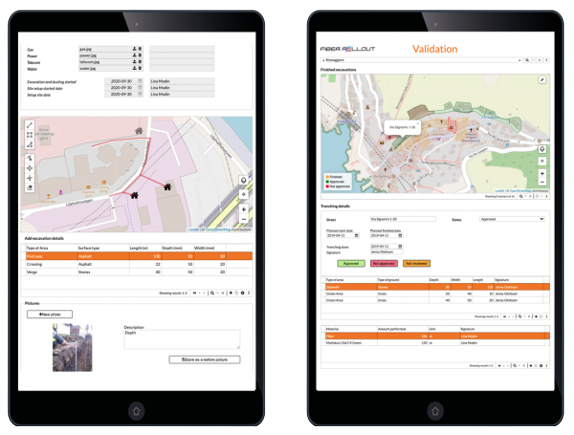
Work packages are created, readily scheduled, and sent out in accordance with relevant wayleaves, permits, skill sets that are available, and other specific criteria.
The tablet gives field engineers access to all work order details and includes built-in instructions on how to complete and record their work so that no important information is overlooked. Both offline and online documentation are supported by the application.
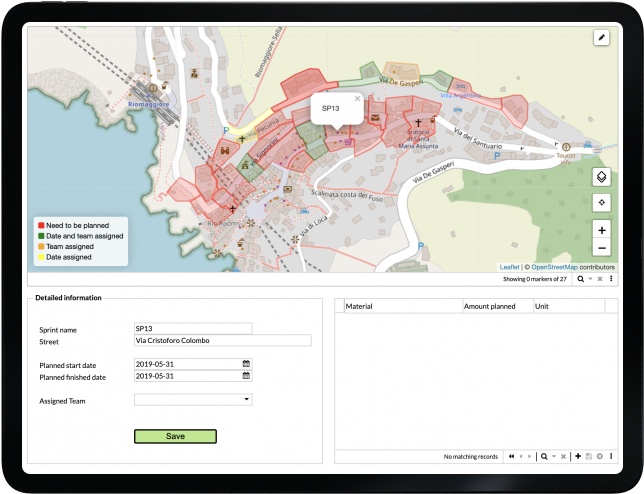
Quality Control
Improve the overall quality of the build by integrating quality audits (Q), embedding Health, Safety, and Environment (HSE), and real-time validation of construction data. Identify problems early and fix them.
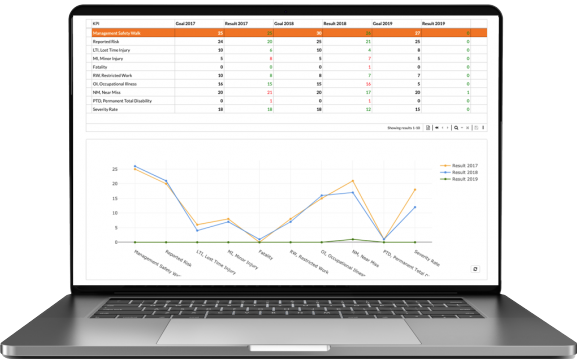
Because digital workflows validate data and images in real time, they improve the capacity to precisely monitor the work’s progress and quality. Finding and fixing problems early in the build phase is made easier by this methodical approach to dealing with live build documentation, which increases customer happiness and improves build quality overall.
To integrate it seamlessly into daily tasks, we deploy quality checklists and embedded health and safety reports.
Logistics and Resources
Use the integrated warehouse, fleet, and workforce management to keep track of all the vehicle materials, equipment, and expertise needed for the job.
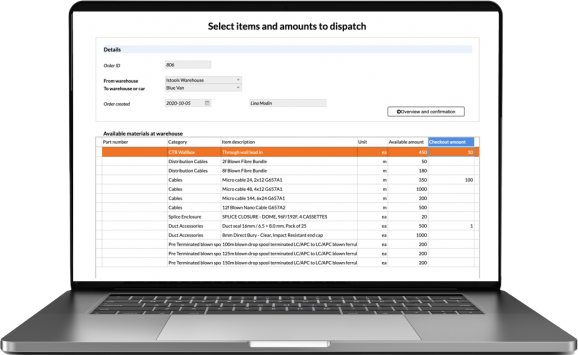
Integrate warehouse management into your workflow so that teams may place material orders based on warehouse stock values. These orders can then be picked up and delivered to the site or allocated to field technician trucks.
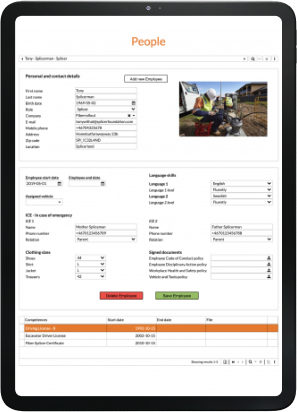
Monitor assets, purchase orders, and inventory in real time. Oversee all project personnel, lead teams, and keep an eye on critical data including each technician’s current certifications and credentials.
Assigning tools and equipment to your fleet will guarantee an accurate inventory of vehicle assets and ensure that your fleet of cars and equipment is maintained through automated notifications.
Service and Maintenance
Make and carry out maintenance work orders that are generated automatically or manually. For preventive cabinet service, use countdowns.
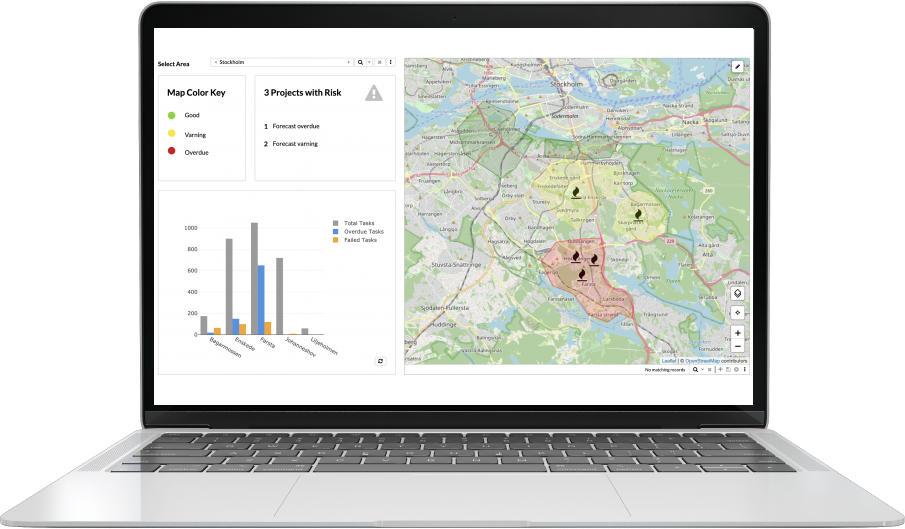
Take the initiative and create maintenance or service work orders for assets automatically by using countdowns. Engineers can easily comprehend and carry out necessary maintenance with the use of organized as-built data, which gives them access to the whole history of site visits. Additionally, monitor and promptly address any problems that emerge through automated alerts or manual intervention.
Finding the main issue quickly and identifying which work packages or assets are impacted by a problem are made simple by well-organized construction documentation.